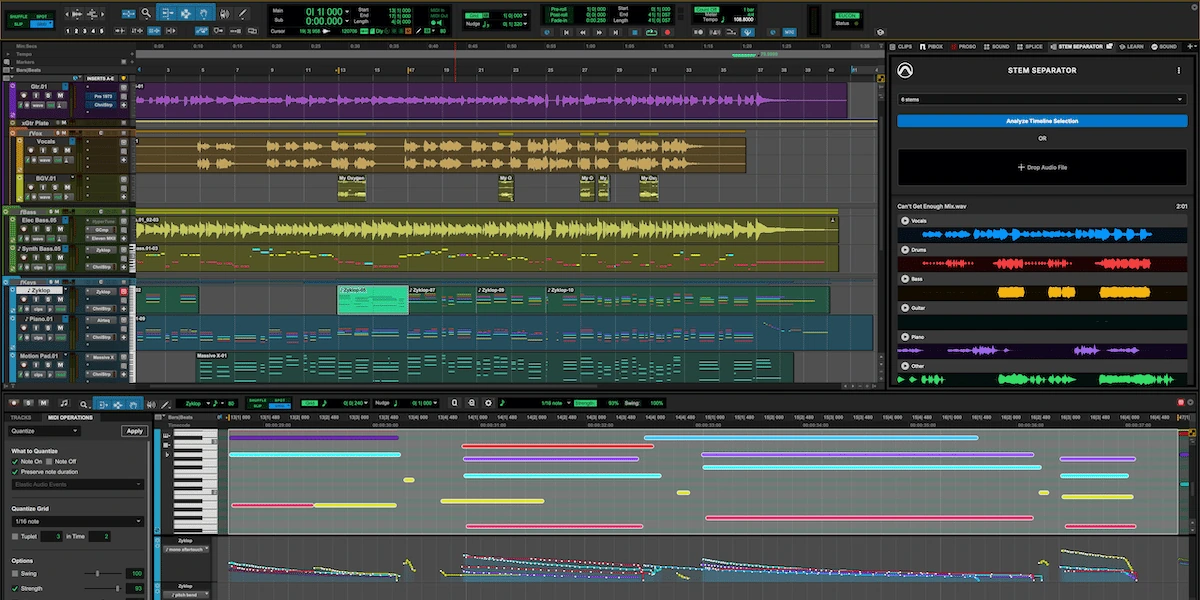
It is official: Pro Tools 2026.11 has been available since 3 November 2026. For some users, AI-powered stem separation or the new Extensions platform may be the headline features. Here at Studio 2.0, however, one arrival stands above the rest: native MIDI Polyphonic Expression (MPE). After close to a year of waiting since its announcement, we have been especially eager to see it become part of our daily Pro Tools environment.
This is much more than a box to tick on a feature list. For composers, performers, arrangers and sound designers, MPE changes the relationship between the musician and the virtual instrument. Alongside it, Avid has introduced an on-device AI stem separator, a new system for integrated services, and welcome improvements for Windows-based studios.
Native MPE in Pro Tools: why it matters
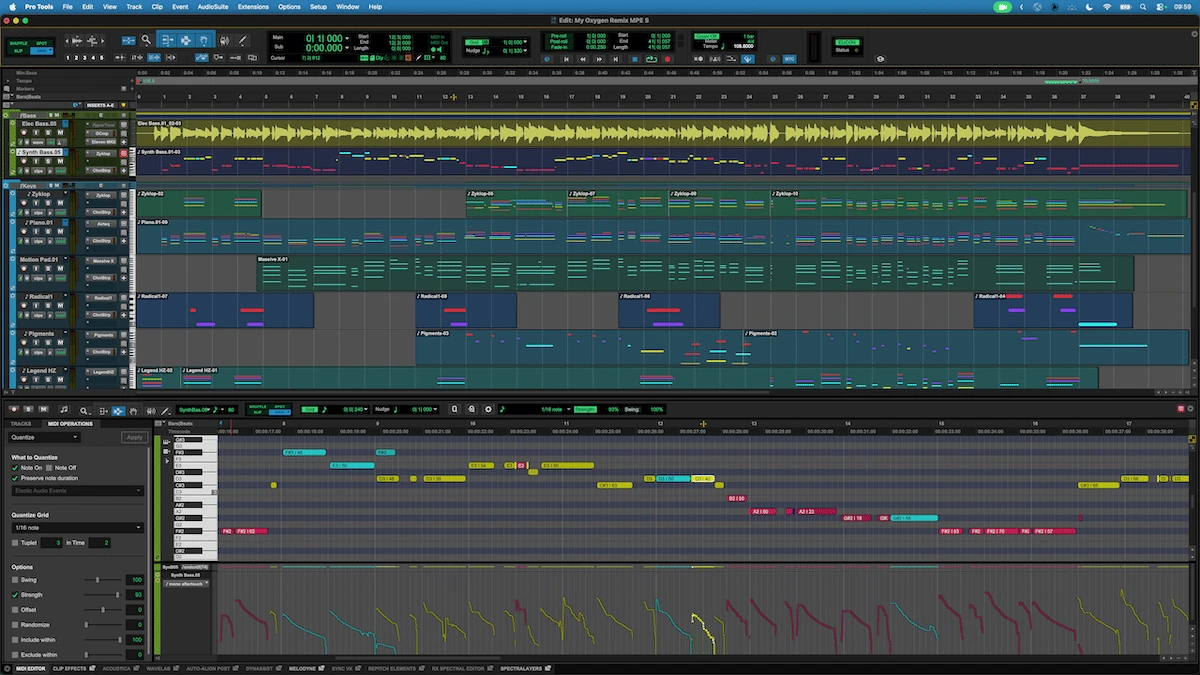
Traditional MIDI is tremendously useful, but shaping different notes within the same chord independently has often required awkward workarounds. With MPE, each note can respond to its own pitch movement, pressure and timbral gestures. One note can bend while another vibrates or changes tone. The expressive nuance becomes part of the performance itself.
In Pro Tools 2026.11, that expression can be recorded, played back, edited and automated natively. Dedicated per-note automation lanes appear in the Edit window and MIDI Editor, while notes and their expression data are color-coded according to MIDI channel. Users can enable MPE on a MIDI or Instrument track and connect compatible controllers and sound generators.
The next instrument on our wish list: Expressive E Osmose
At Studio 2.0, we have been following expressive keyboards with considerable interest. Native MPE support removes a major obstacle from our preferred DAW workflow. We are now considering the purchase of an Expressive E Osmose and imagining how it could fit into our original scores, productions and sound-design sessions.
Osmose combines a highly responsive keyboard with multidimensional gestures: pressure, lateral pitch movement, vibrato and other articulations that shape sound directly beneath the fingers. Think breathing string textures, shifting cinematic pads, fluid soundscapes and expressive hybrid instruments, with each note developing its own character.
We will only share a hands-on verdict once we have actually purchased, installed and tested it with compatible instruments. For now, the creative promise is exciting enough. Musical expression deserves to remain at the heart of technology.
Stem Separator: local AI-assisted separation inside Pro Tools
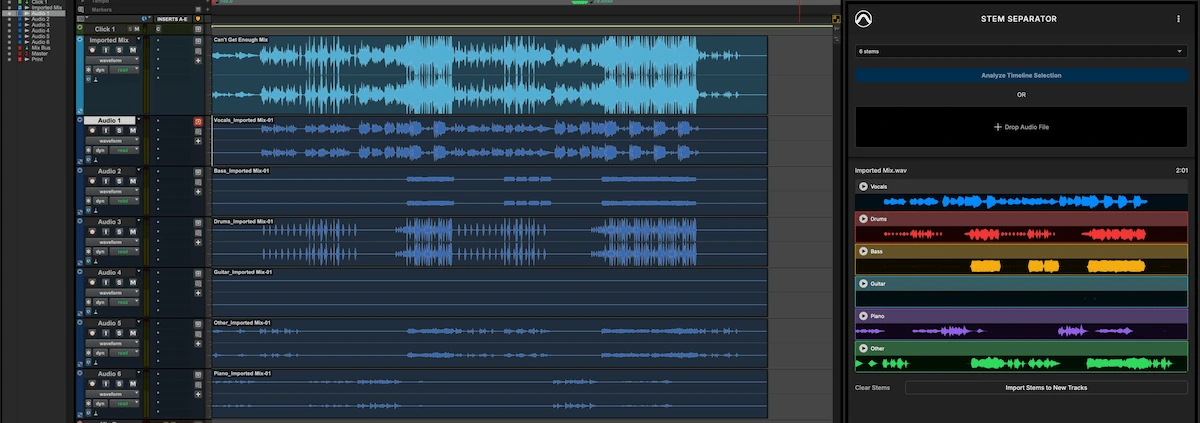
Pro Tools Stem Separator is the first Extension developed by Avid. It can split a mixed audio source into as many as six categories: vocals, drums, bass, guitar, keys and other material. Preview the results, drag selected stems into your session, or write them directly to new tracks without switching applications.
For studios working with confidential material, the important distinction is local processing. Avid says the audio is not uploaded to the cloud or used to train AI models. This could prove valuable for archive work, remix preparation, sound-design experiments and projects where original multitracks are unavailable. As ever, the quality of separation will depend on the source.
Pro Tools Extensions: a new kind of integration
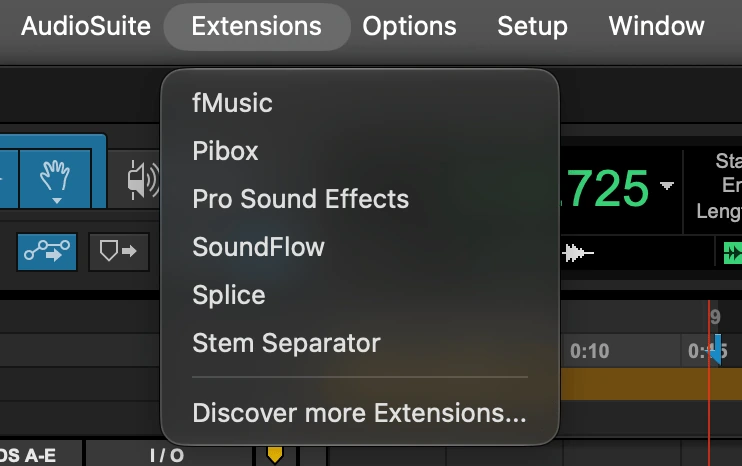
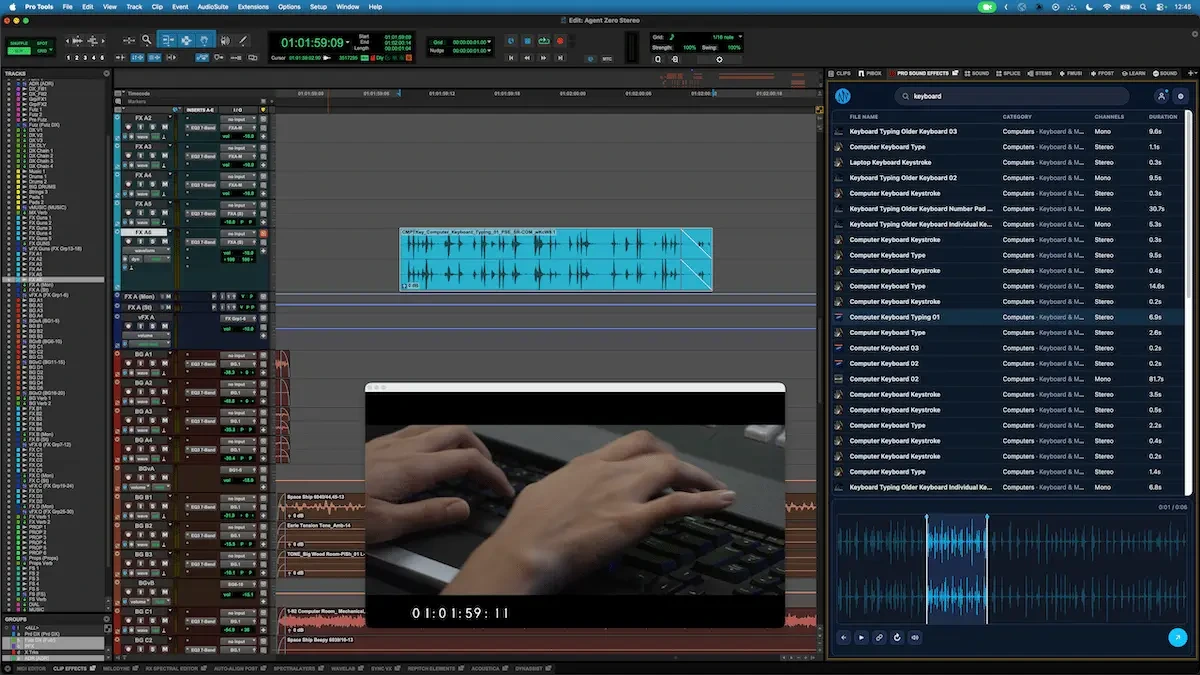
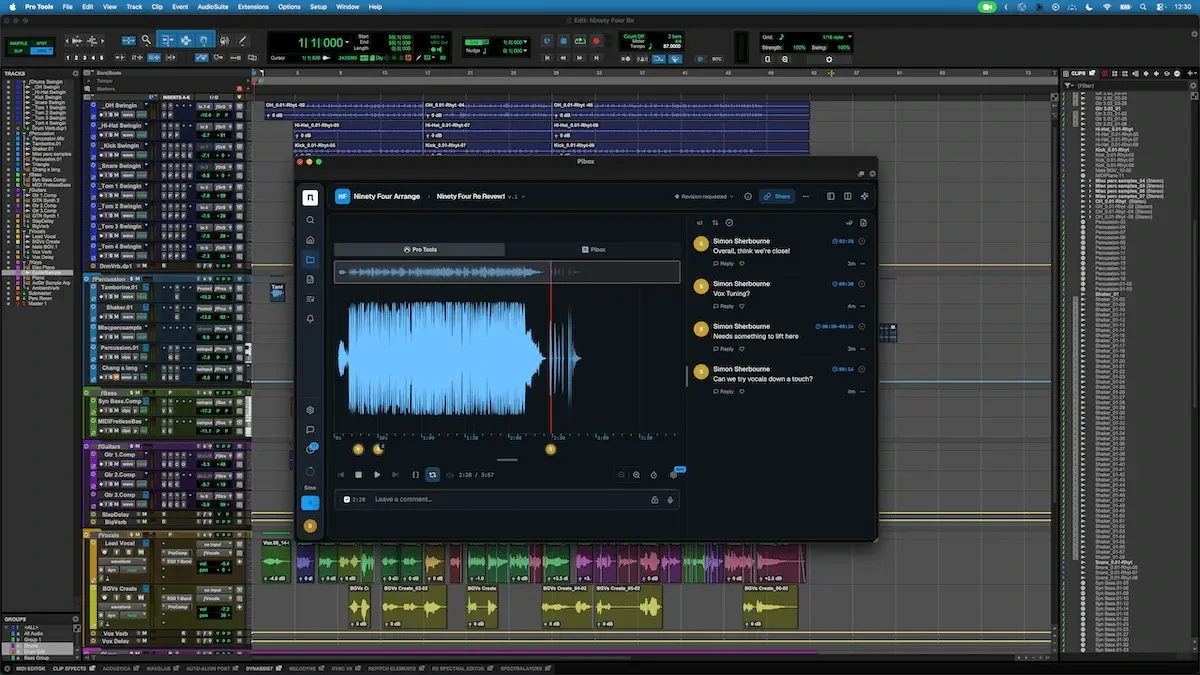
The introduction of Pro Tools Extensions is more fundamental than another set of audio plug-ins. Unlike conventional track-based AAX processing, Extensions can support broader workflows spanning tracks, sessions, sound-library services and collaboration tools. A new dedicated menu and a redesigned side panel make them easier to reach.
Early partners include Pro Sound Effects, Pibox, Soundly and Forte; Splice and SoundFlow are also integrated into the Extensions approach. That could make a real difference for a studio handling film composition, sound design and postproduction alongside music production.
Sound libraries and creative collaboration in one place
The goal is not merely to save a few mouse clicks. It is to connect discovery, creation, review and delivery more fluidly. Avid’s official screenshots of Pro Sound Effects and Pibox illustrate two very different applications of the same new framework.
Windows gets a much-needed HiDPI upgrade
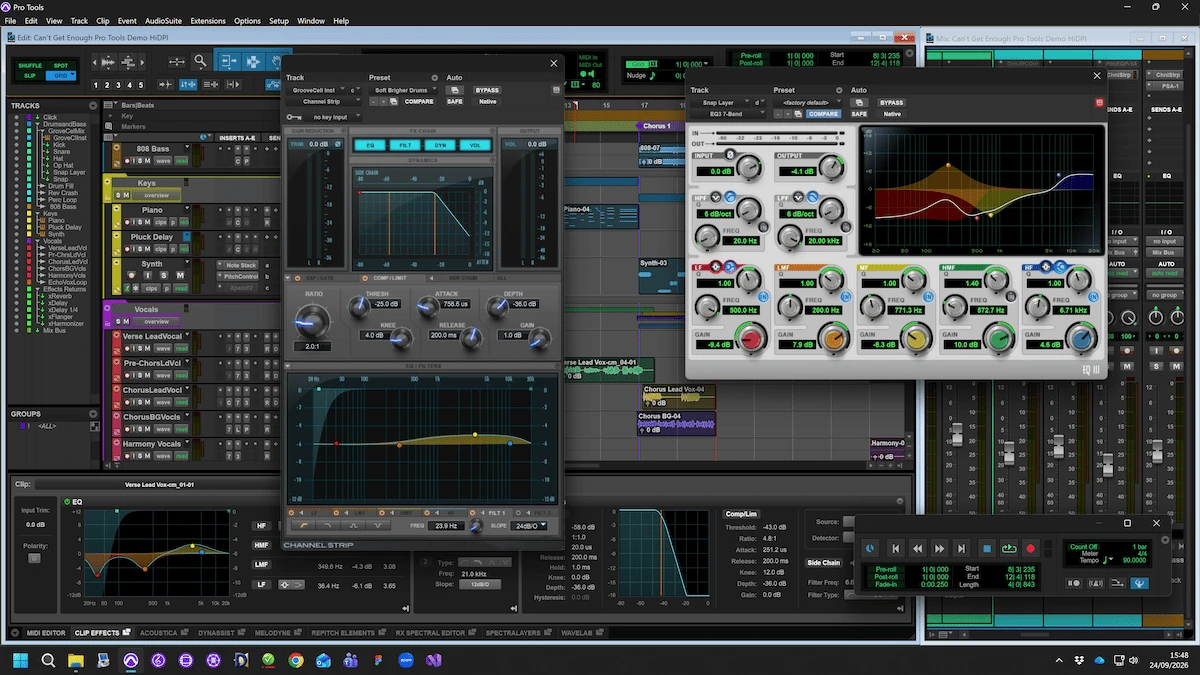
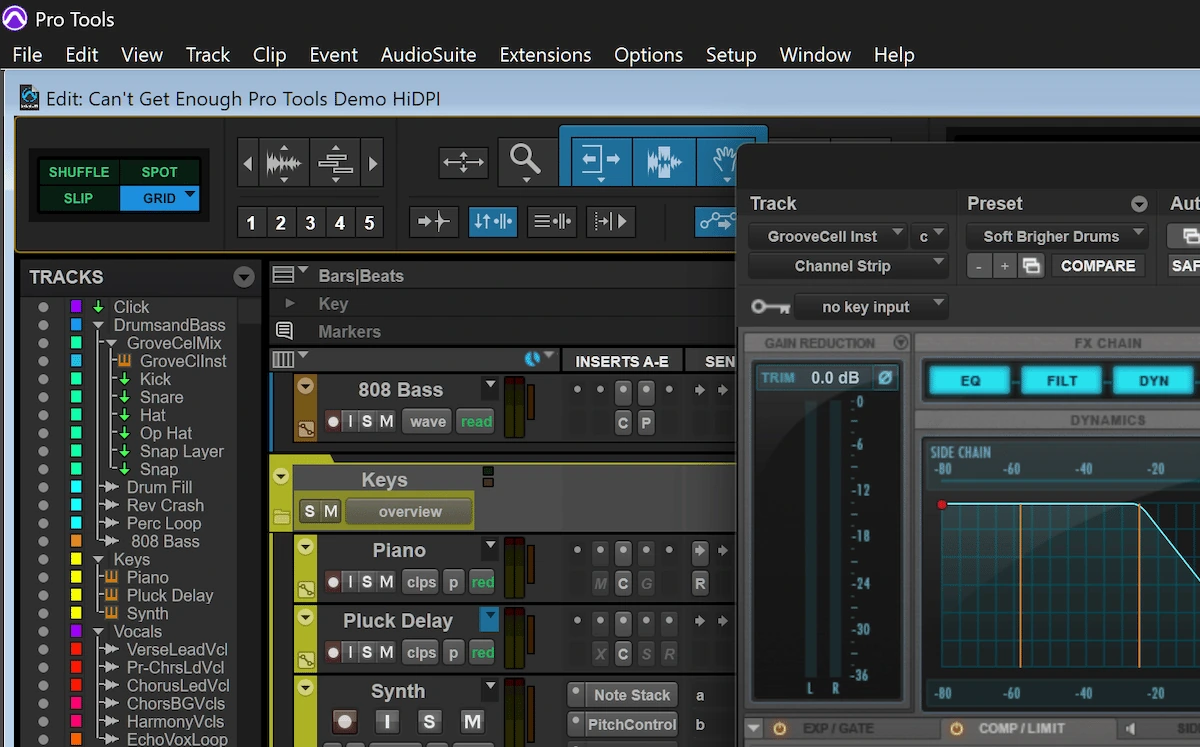
Pro Tools now supports native scaling on high-resolution Windows monitors, including setups with multiple displays and different scaling levels. Text, controls and plug-in windows should look sharper and feel easier to use on modern 2K, 4K and 5K setups.
The dark theme extends to more menus and system windows. Avid acknowledges that some legacy internal child-window title bars have not yet been redesigned. Avid plug-ins have been updated for HiDPI; third-party developers will need to adopt the relevant AAX APIs for full dynamic scaling support.
Alternate take colors: a small change with a practical payoff
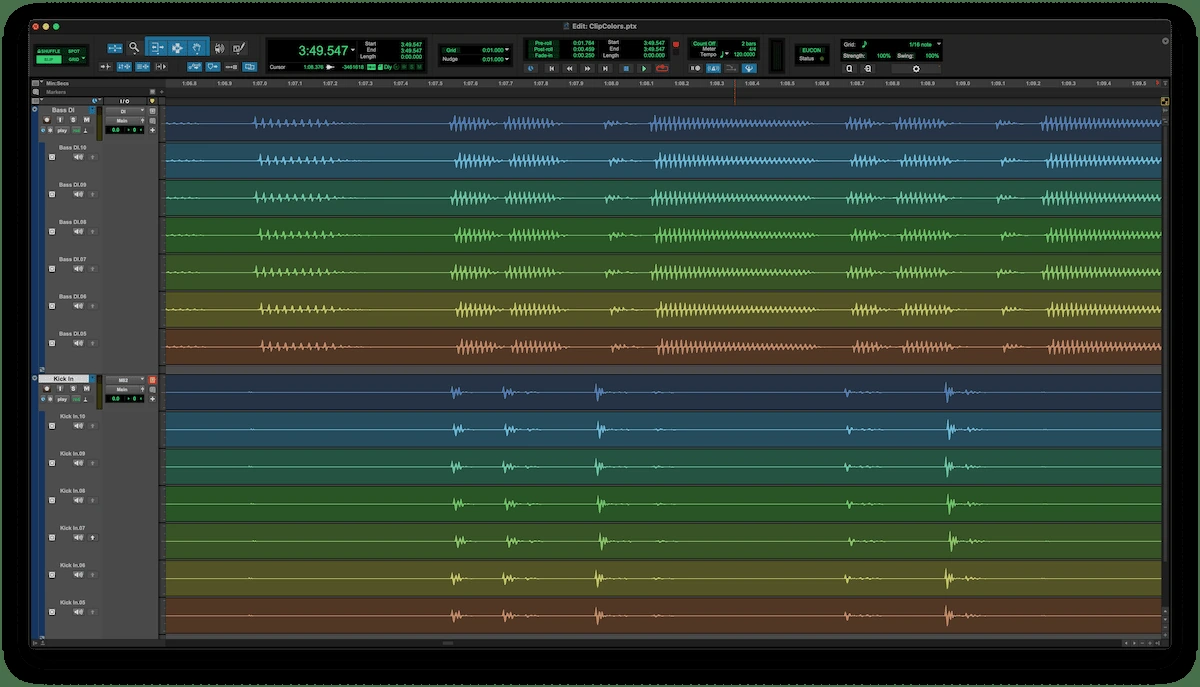
Auto-Color Alternate Takes assigns a consistent color and take ID to recorded alternatives, preserving these markers throughout playlist editing. Takes recorded together across multiple tracks share the same color. For editing drums, ensembles or layered vocal sessions, it is a welcome visual shortcut.
Who can install Pro Tools 2026.11?
According to Avid, the release is available to active subscribers, perpetual-license owners with a valid upgrade plan, and Pro Tools Intro users. It can be installed through Avid Link or an Avid account. On any production workstation, check operating-system, hardware and essential plug-in compatibility before updating.
Our studio view: more expression, not just more features
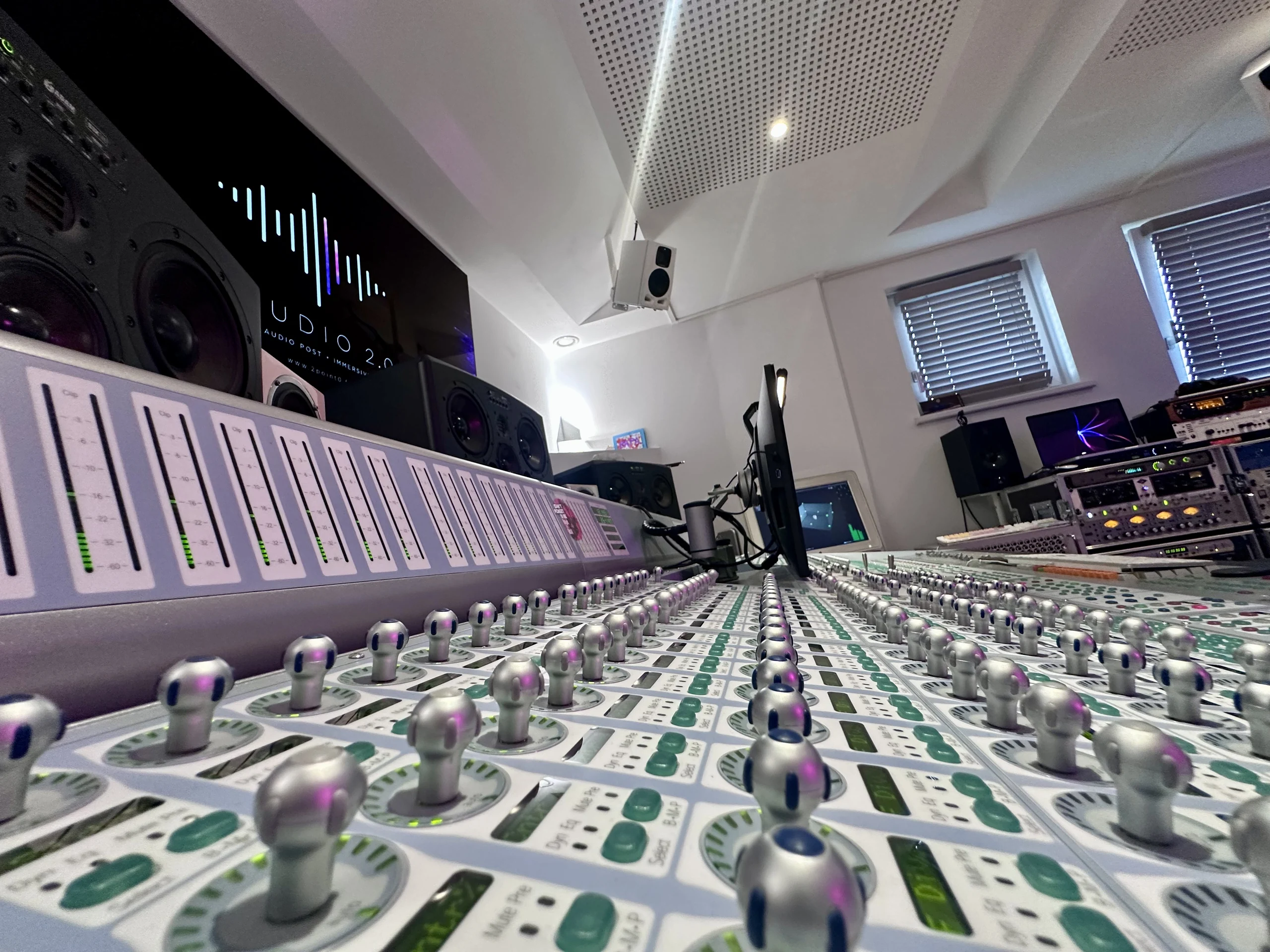
What excites us most is that this update does more than streamline technical tasks. MPE puts the performer back at the center of digital composition. For Studio 2.0, where Pro Tools supports film scoring and immersive audio work, that matters enormously. If an Osmose finds its way into the control room, we already have plenty of sonic ideas to explore.
Official sources and references
Based on Avid’s official announcement and Expressive E product information. Our interest in acquiring an Osmose is a studio plan, not a product test.
What’s new in Pro Tools 2026.11 — Avid ↗
 STUDIO 2.0 · ONE-TO-ONE TRAININGA different approach to composing for picture.Personalised, one-to-one training in a working studio specialising in music and sound for picture.EXPLORE THE COMPOSER TRAINING